Data & security
Exporting your proposals and clients
CSV export for proposals and clients. What's included, what isn't.
Both your client roster and your proposal pipeline can be exported to CSV any time, from the same toolbar on each page.
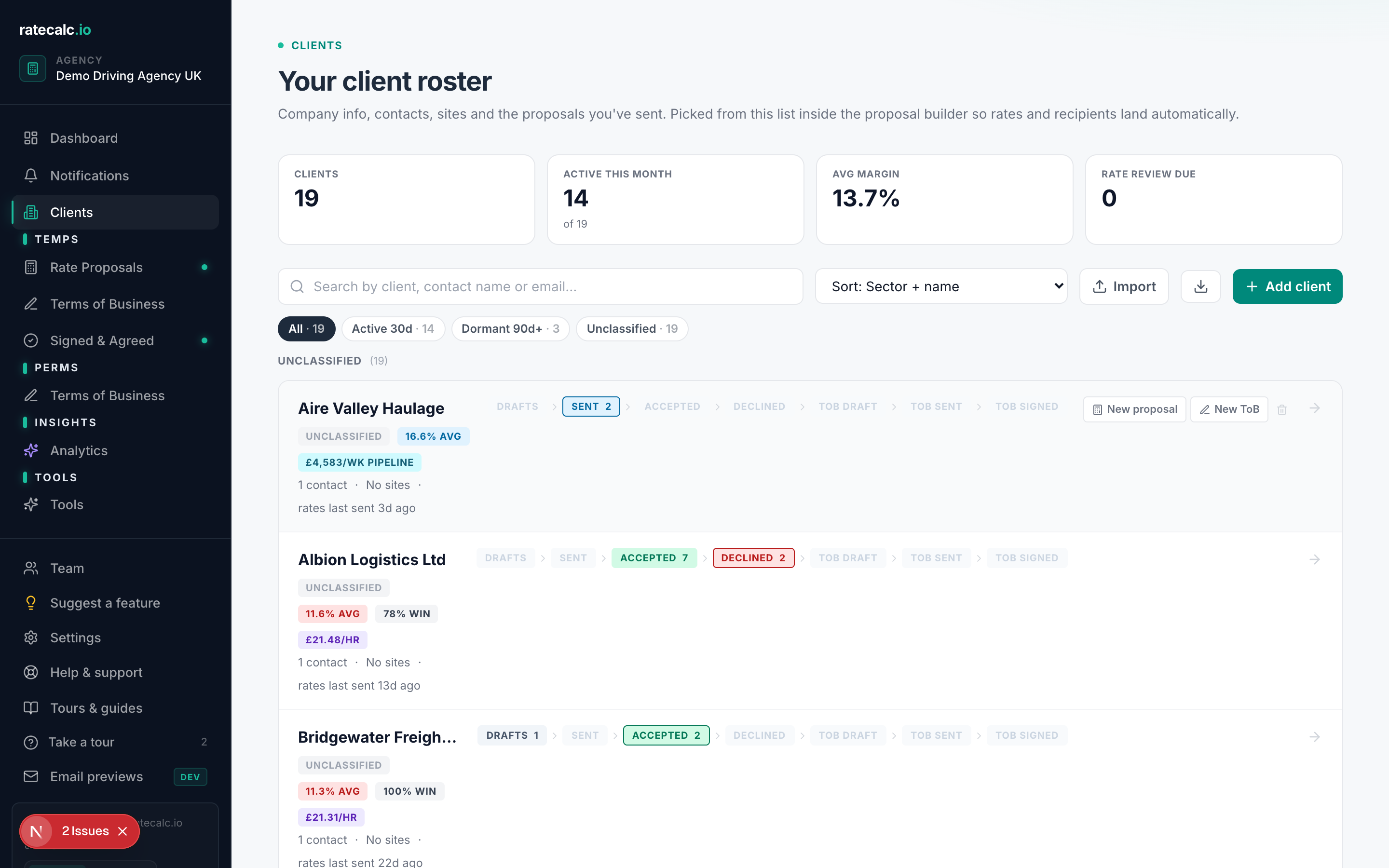
Exporting clients
Dashboard → Clients → "Export CSV" (top right). The CSV includes name, primary contact email, sector, status, tags, days-since-last-proposal, average margin, and pipeline value.
Exporting proposals
Dashboard → Proposals → "Export CSV". The CSV includes client name, status, created date, sent date, accepted date, total weekly value (if hours-per-week set), and the proposal's margin.
What CSV export does NOT include
The full proposal payload (every rate, every shift, every cost item) and the signed ToB PDFs are kept separately. If you need a full backup of those, email hello@ratecalc.io and we'll arrange a structured export.
Related articles
Last updated: 2026-06-29. Did this not answer your question? Click the chat bubble bottom-right or email hello@ratecalc.io.