Terms of Business
Upload your own recruitment Terms of Business (.docx → editable clauses)
Drop a .docx in and we parse it into editable clauses you can re-order, re-word and re-use per sector.
On the Solo plan and above, you can upload your own Terms of Business as a .docx file. We parse it into individual clauses — each one becomes editable, re-orderable, and markable as optional (e.g. transfer-fee clauses for clients who pay one and not others).
Step 1 · Find the upload screen
Settings → Temp ToBs for your temp Terms of Business. Settings → Perm ToBs for your perm Terms of Business. Each is a separate document with its own clause set.
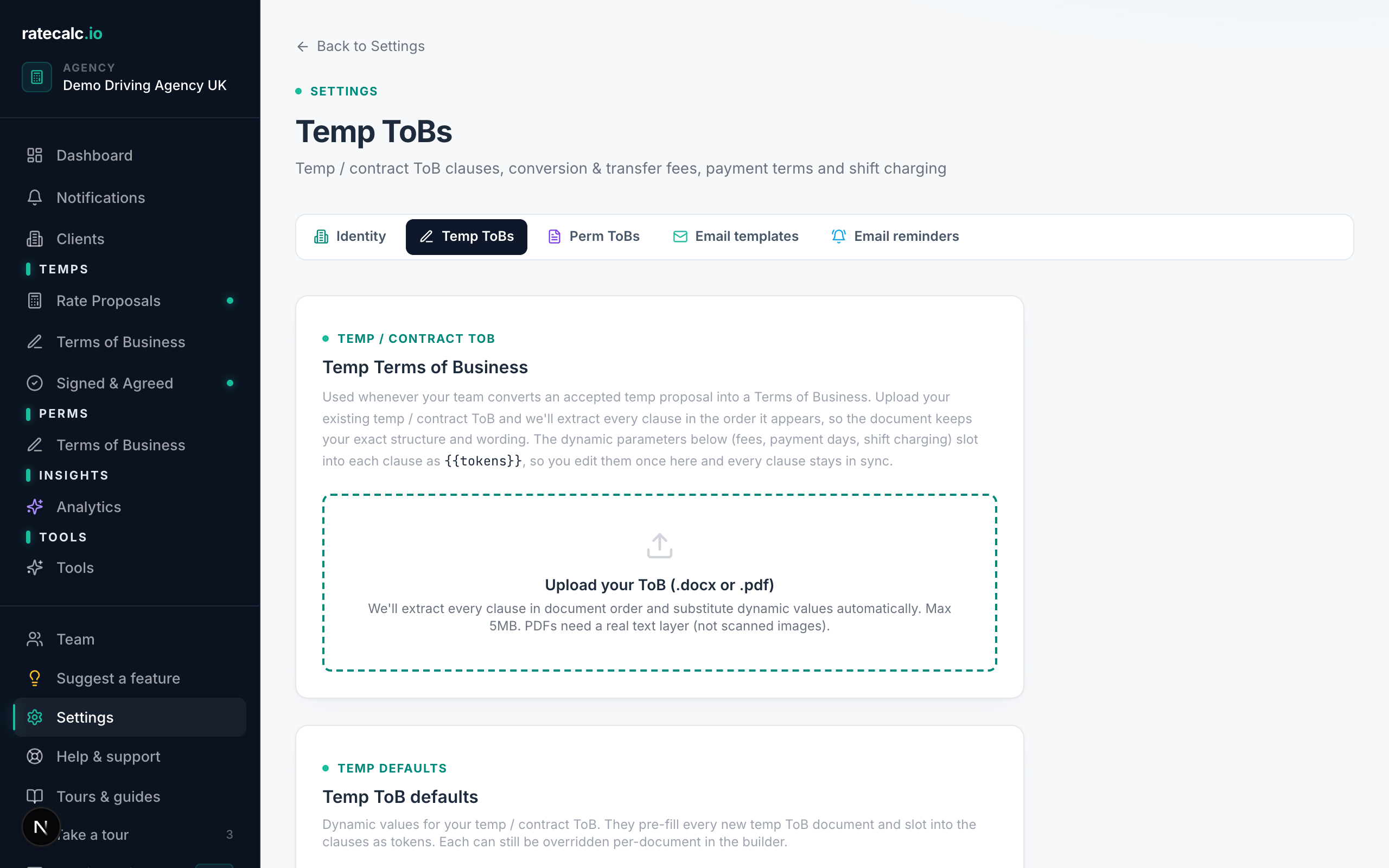
Step 2 · We parse it into editable clauses
Once parsed, every clause appears in document order. Re-word any clause inline, drag to re-order, mark as optional. The dynamic parameters (fees, payment days, shift charging) become {{tokens}} so you edit them once and every clause stays in sync.
Versioning, signing, evidence
Every change versions automatically. When you send a ToB to a client and they sign, the exact document version they saw is snapshotted into the signed record. Historical sends always show the wording the client agreed to, even if you've edited the clauses since.
Related articles
E-signature for recruitment Terms of Business (UK, legally binding under eIDAS)
Signature, IP address, timestamp, document version — captured as evidence on every signed ToB.
Perm vs temp Terms of Business: when to use each (UK recruitment)
Two separate flows, two separate documents, two different clause sets.
Sending your first rate proposal
Five steps from a blank agency to a sent proposal. Roughly 15 minutes with screenshots.
Last updated: 2026-06-29. Did this not answer your question? Click the chat bubble bottom-right or email hello@ratecalc.io.