Getting started
Sending your first rate proposal
Five steps from a blank agency to a sent proposal. Roughly 15 minutes with screenshots.
This is the fastest path from signup to your first proposal in a client's inbox. Each step takes about 2-3 minutes.
Step 1 · Add a sector
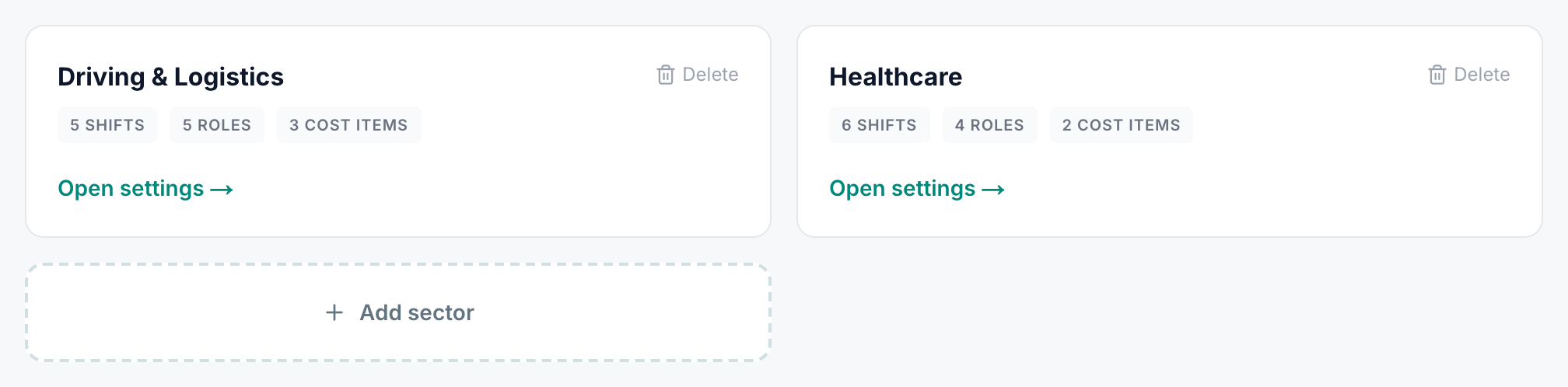
A sector is the self-contained set of roles, shifts and on-costs for one niche you operate in. Go to Settings → Sectors and click "Add sector".
Step 2 · Pick a starter pack
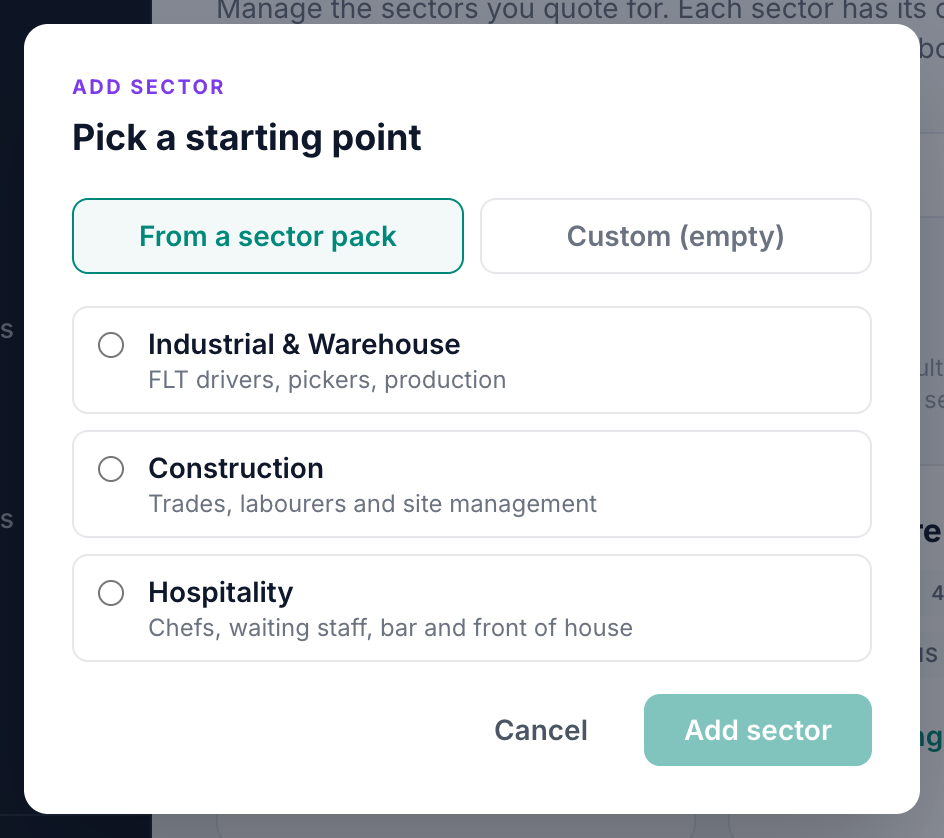
Pick the pack that matches what you place into. Driving, Healthcare, Industrial, Construction or Hospitality. The pack drops in all the standard roles, shifts, cost items and on-cost defaults in one click. You can edit anything afterwards.
Step 3 · Tweak the sector defaults
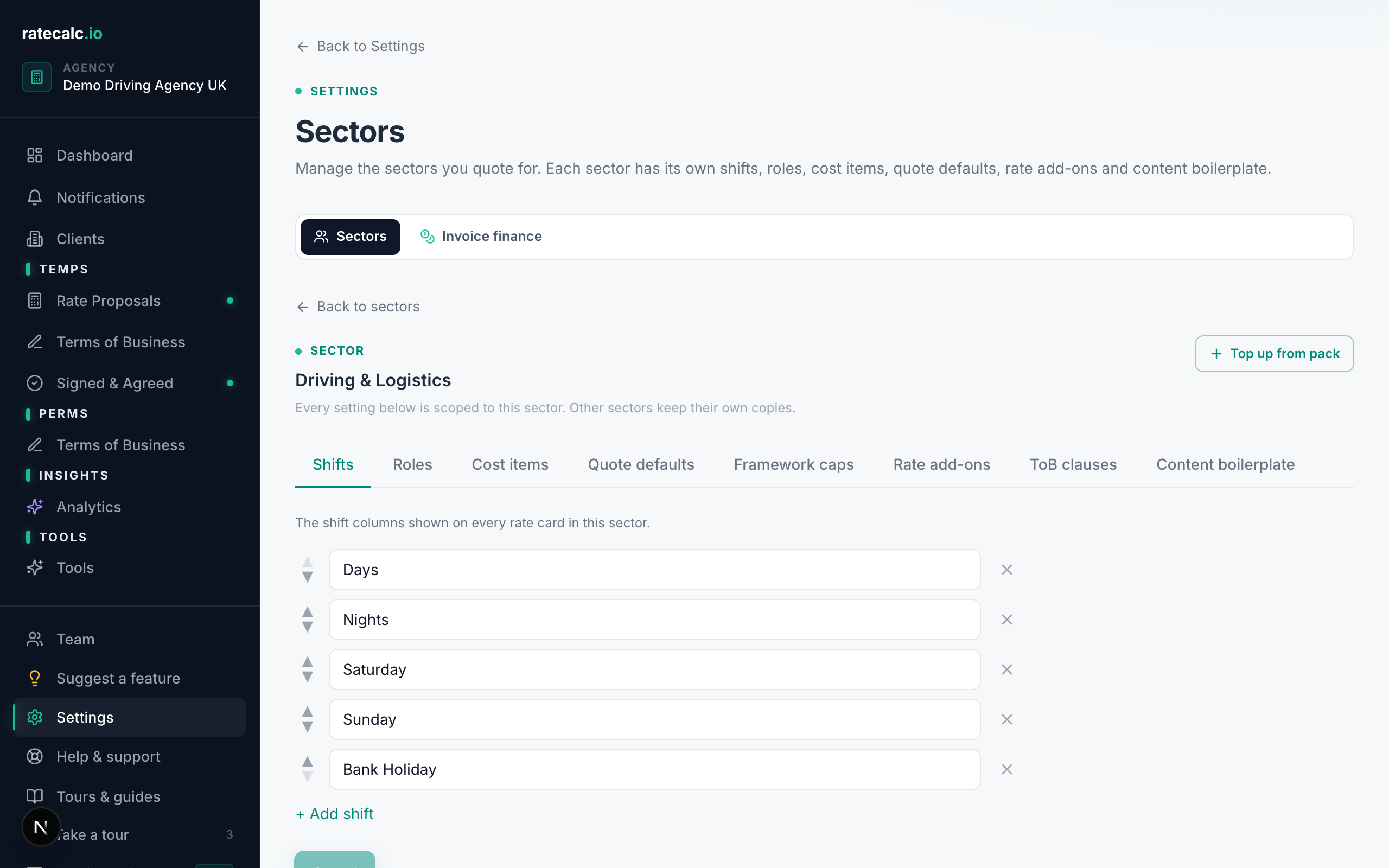
Open the sector and check the pay rates and margin. Most agencies adjust the rates to match what they actually quote in their market — the pack ships with sensible UK averages but every agency is slightly different.
Step 4 · Add your branding and upload your Terms of Business
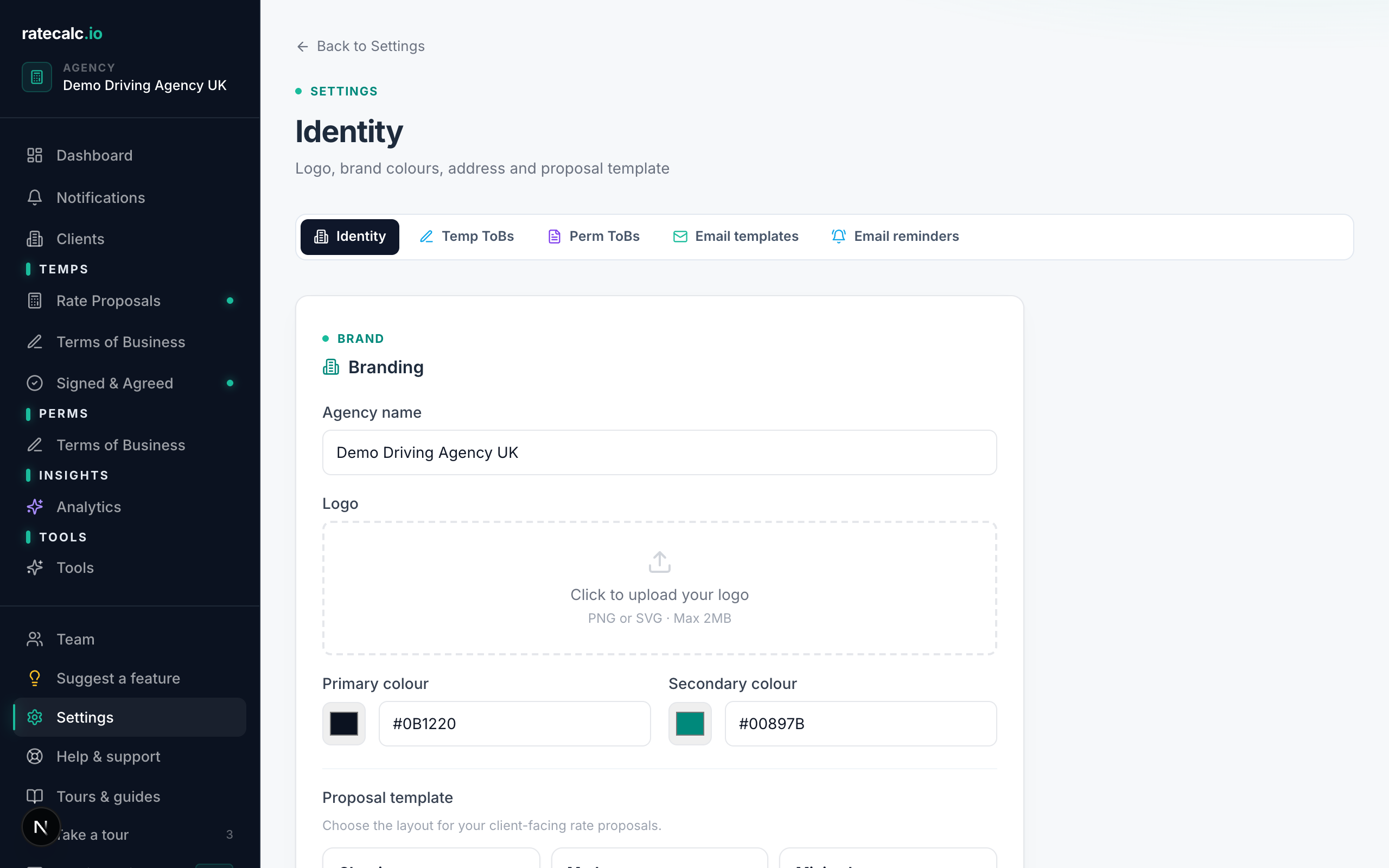
Settings → Identity. Upload your logo, set your primary and secondary brand colours, add your registered office address. Every proposal you send from now on uses your branding.
Then Settings → Terms of Business (Temp). Drop your existing ToB .docx in. We parse it into editable clauses you can re-order, re-word, and mark optional. No .docx yet? You can use our standard template until you have one.
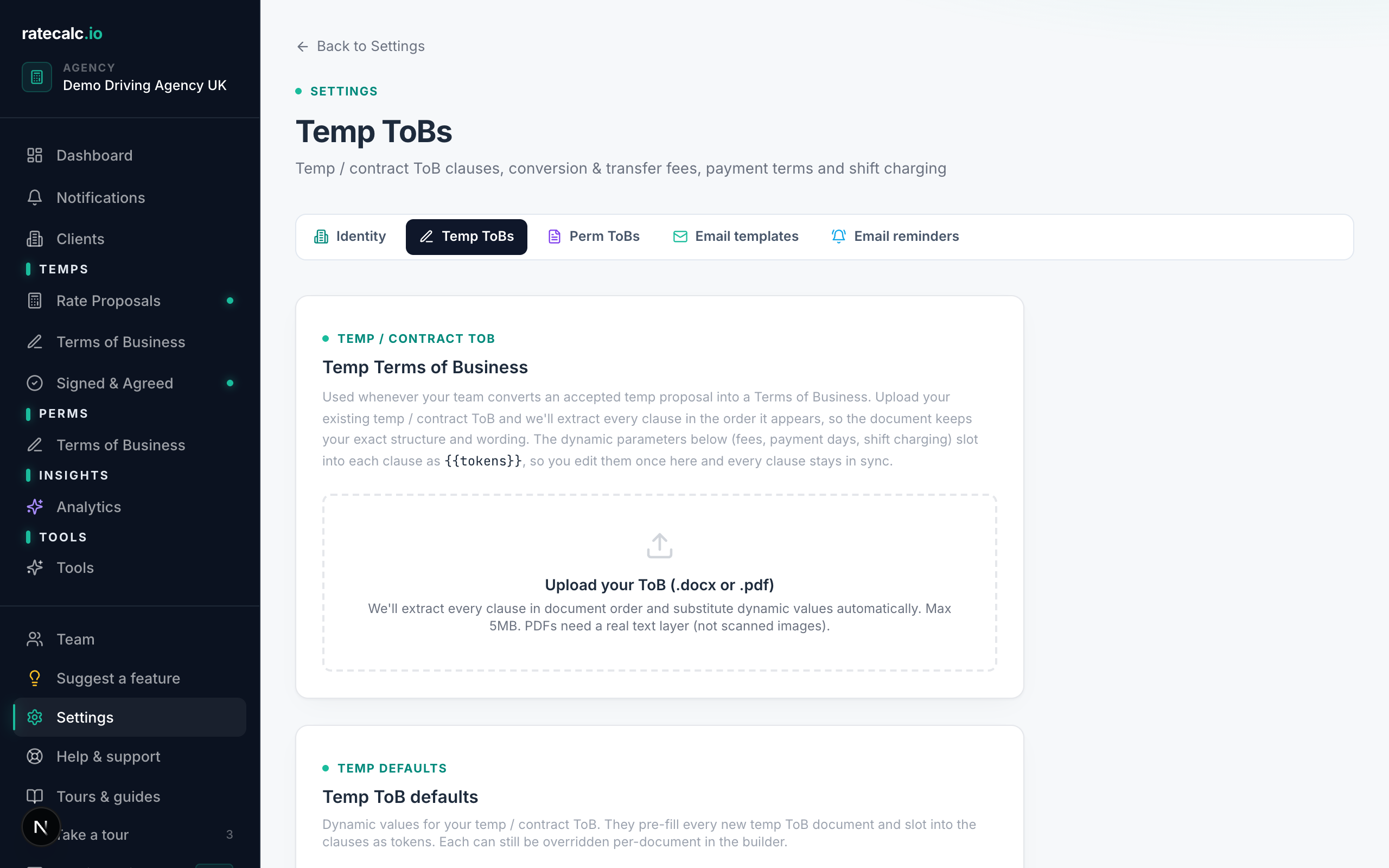
Step 5 · Build and send the proposal
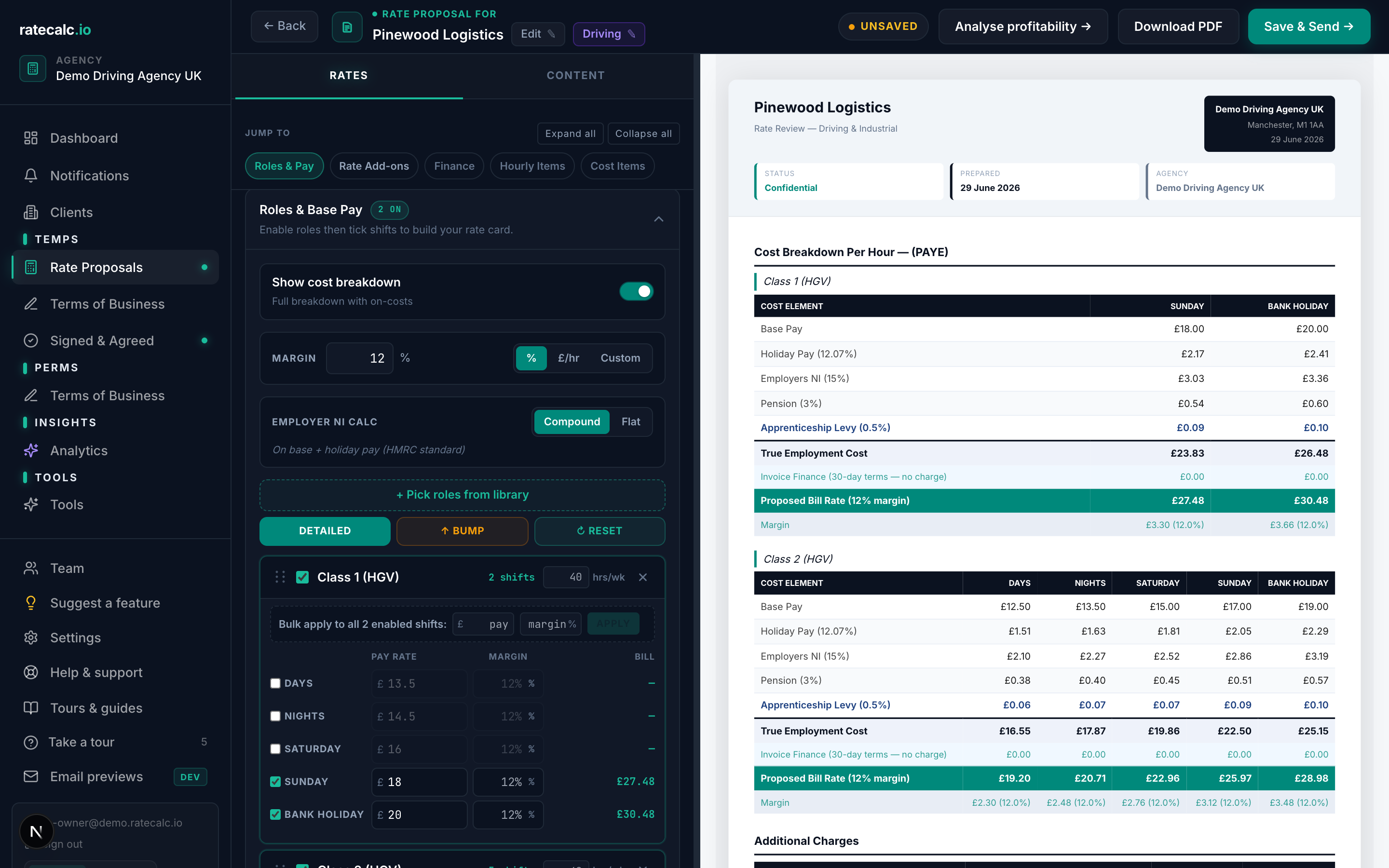
Dashboard → "New rate proposal". Type the client name (or pick from the list if they already exist). Pick the sector. Enable the roles you're placing and tick the shifts that apply. Set the pay rate per shift. The bill rate and margin update live as you type.
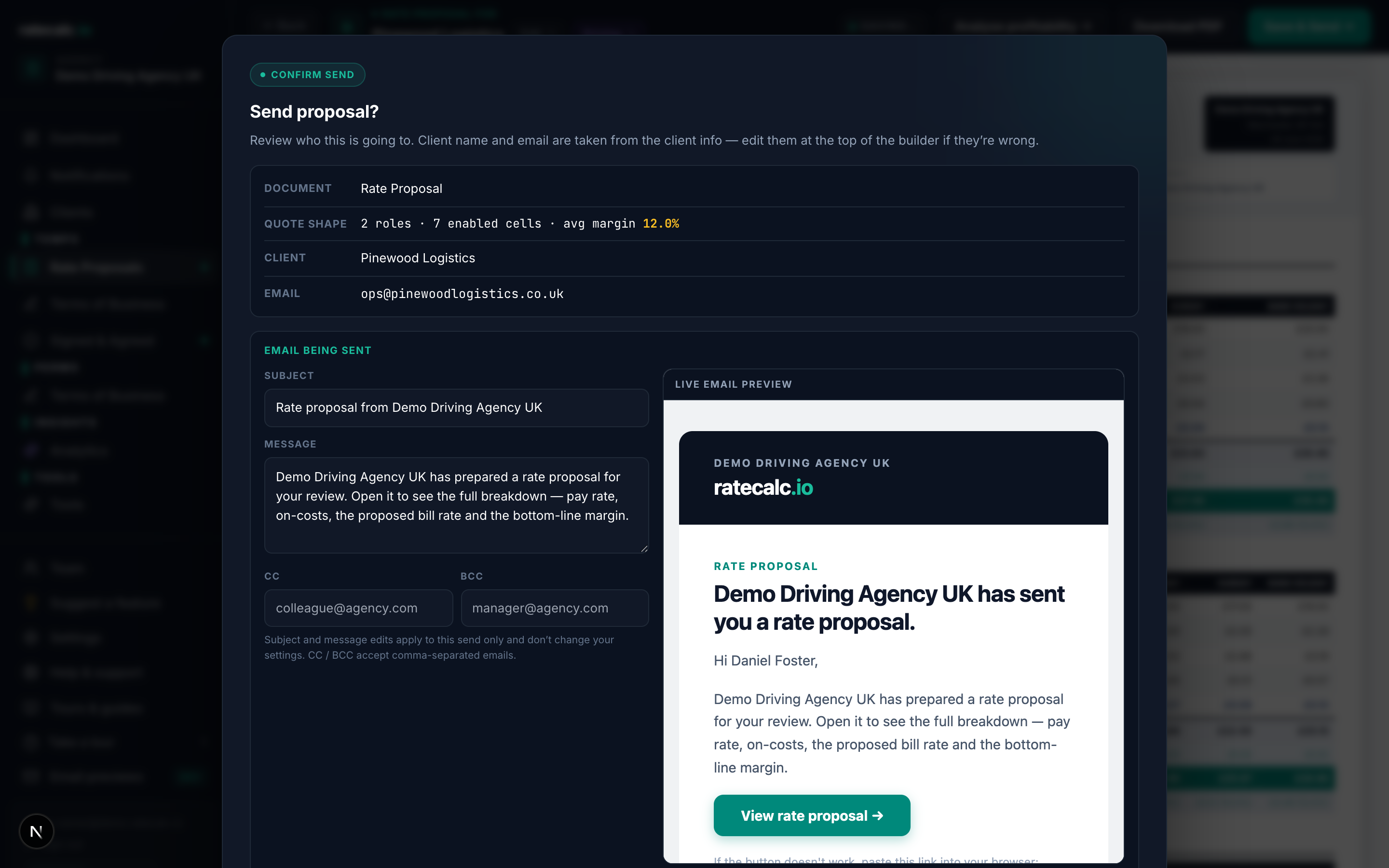
When you're happy, click "Save & Send" top right. Add the recipient email, hit send. The client gets a unique link to view the proposal in their browser — no PDF attachment, no account required on their end.
What happens next
You see when the client opens the link, when they view the proposal, and when they accept or decline. Status updates appear in real time on Dashboard → Proposals.
Related articles
How sector buckets work
Each sector you operate in lives as a self-contained bucket with its own shifts, roles, on-costs and Terms of Business.
On-cost calculation for UK recruitment agencies (holiday, NI, pension, levy)
Holiday, NI, pension, levy, finance — what each one is, where you change the default, and how the live cost breakdown shows the maths.
Recruitment agency margin calculator: percent, fixed and custom modes
Three ways to apply margin to a proposal and when each makes sense.
Upload your own recruitment Terms of Business (.docx → editable clauses)
Drop a .docx in and we parse it into editable clauses you can re-order, re-word and re-use per sector.
Last updated: 2026-06-29. Did this not answer your question? Click the chat bubble bottom-right or email hello@ratecalc.io.