Account & billing
Adding team members and managing seats
How seats work on Team, Agency and Perm. Inviting consultants, setting roles, archiving seats.
Which plans support multi-seat
| Starter | Single seat. No extras. |
| Solo | Single seat. No extras. |
| Team | 1 included + £39.99/mo per extra seat, up to 10 total. |
| Agency | 1 included + £49.99/mo per extra seat. No cap. |
| Perm | 1 included + £29.99/mo per extra seat. |
The team page
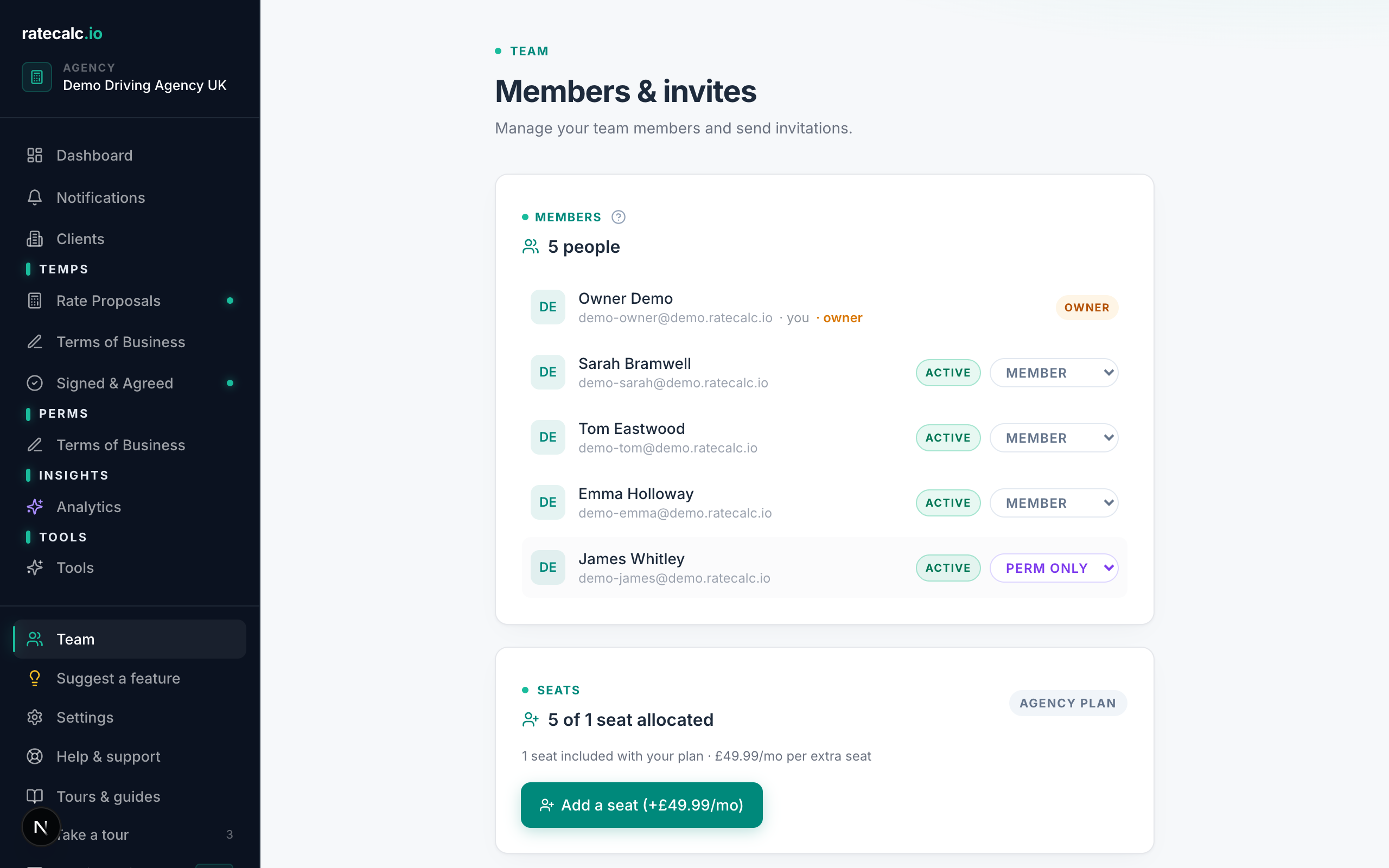
Dashboard → Team lists every consultant on your agency, with their role (Admin or Member), seat status (Active or Archived), and their per-consultant capabilities. The "Invite member" button at the top sends a setup-link email.
Inviting a consultant
Click "Invite member". Enter their email and pick their role (Admin or Member). They get an invite email with a link to set their password.
Member permissions
Admin members can do everything (billing, settings, all proposals). Member-role consultants are scoped by capability — you can grant edit_proposal_config, edit_tob, manage_clients independently. Defaults to off for new members.
Archiving a seat
Click a member → "Archive". The seat returns to the pool immediately so you stop paying for it. The user's past proposals stay attributed to them historically.
Related articles
Last updated: 2026-06-29. Did this not answer your question? Click the chat bubble bottom-right or email hello@ratecalc.io.