Pricing & trial
Changing or cancelling your plan
Upgrades, downgrades, cancellation, and what happens to your data afterwards.
Settings → Billing & plan is the single place for everything subscription. Change plan, manage your card, cancel — all behind one tab.
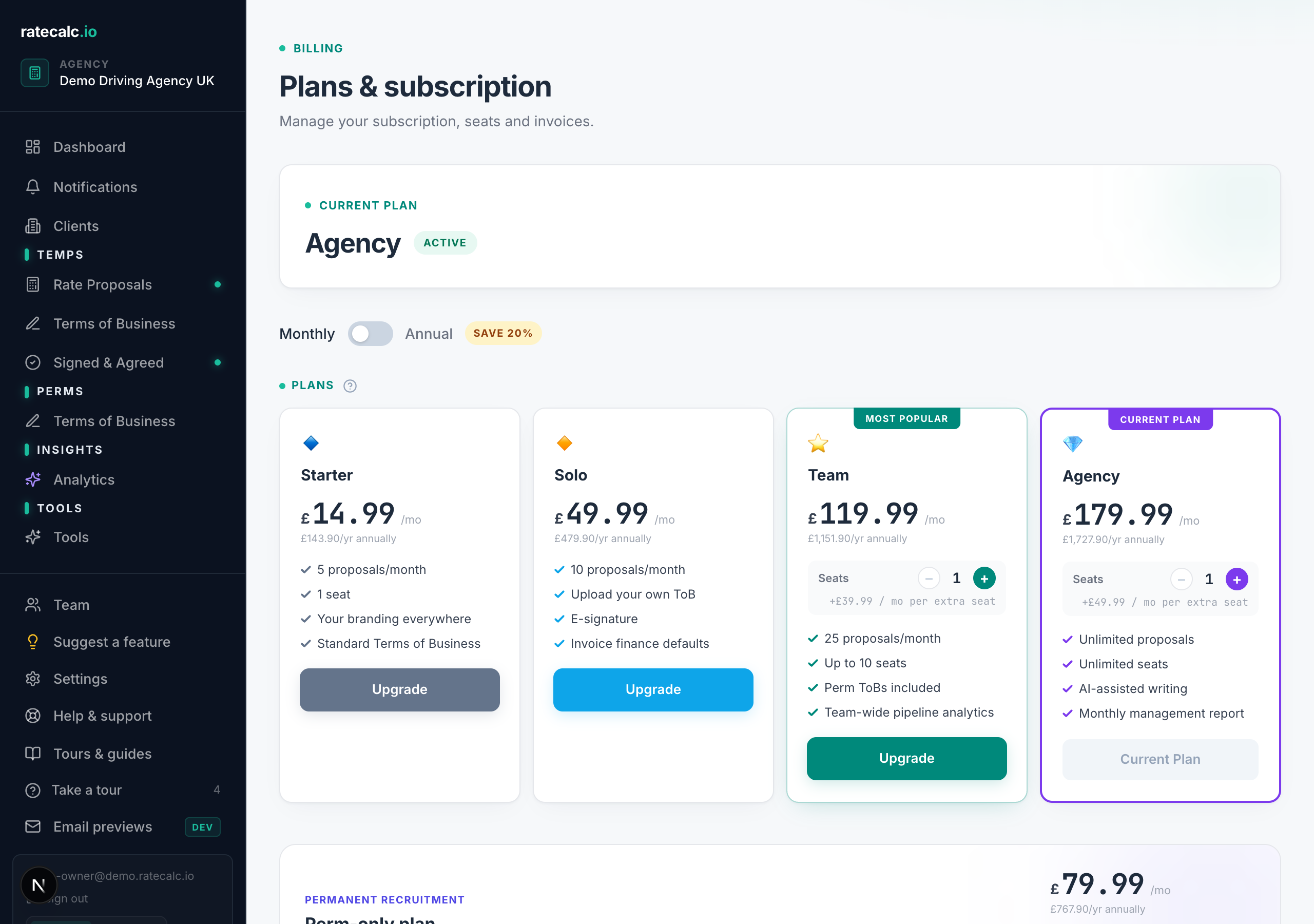
Upgrading
Settings → Billing → "Change plan". Upgrades take effect immediately. On annual billing the price difference pro-rates for the rest of your current period.
Downgrading
Same path. Downgrades take effect at the start of your next billing cycle. Your current period keeps the higher tier features. You will see a confirmation if your usage exceeds the lower tier's caps.
Cancelling
Settings → Billing → "Manage billing" → "Cancel subscription". Monthly plans stop renewing immediately; access continues to the end of the current period. Annual plans are not pro-rated for refunds.
After you cancel
Your account stays accessible at read-only until the period ends. Export your proposals and clients to CSV from their respective pages before you go. We do not delete data immediately — you can come back and reactivate without losing history.
Related articles
Pricing — every plan in one place
Starter through Agency for temp, Perm for permanent-only, and the perm add-on. Monthly and annual pricing.
Adding team members and managing seats
How seats work on Team, Agency and Perm. Inviting consultants, setting roles, archiving seats.
How the 7-day free trial works
What you get, what we charge, and how to cancel before day 8.
Last updated: 2026-06-29. Did this not answer your question? Click the chat bubble bottom-right or email hello@ratecalc.io.