The calculator
Recruitment agency margin calculator: percent, fixed and custom modes
Three ways to apply margin to a proposal and when each makes sense.
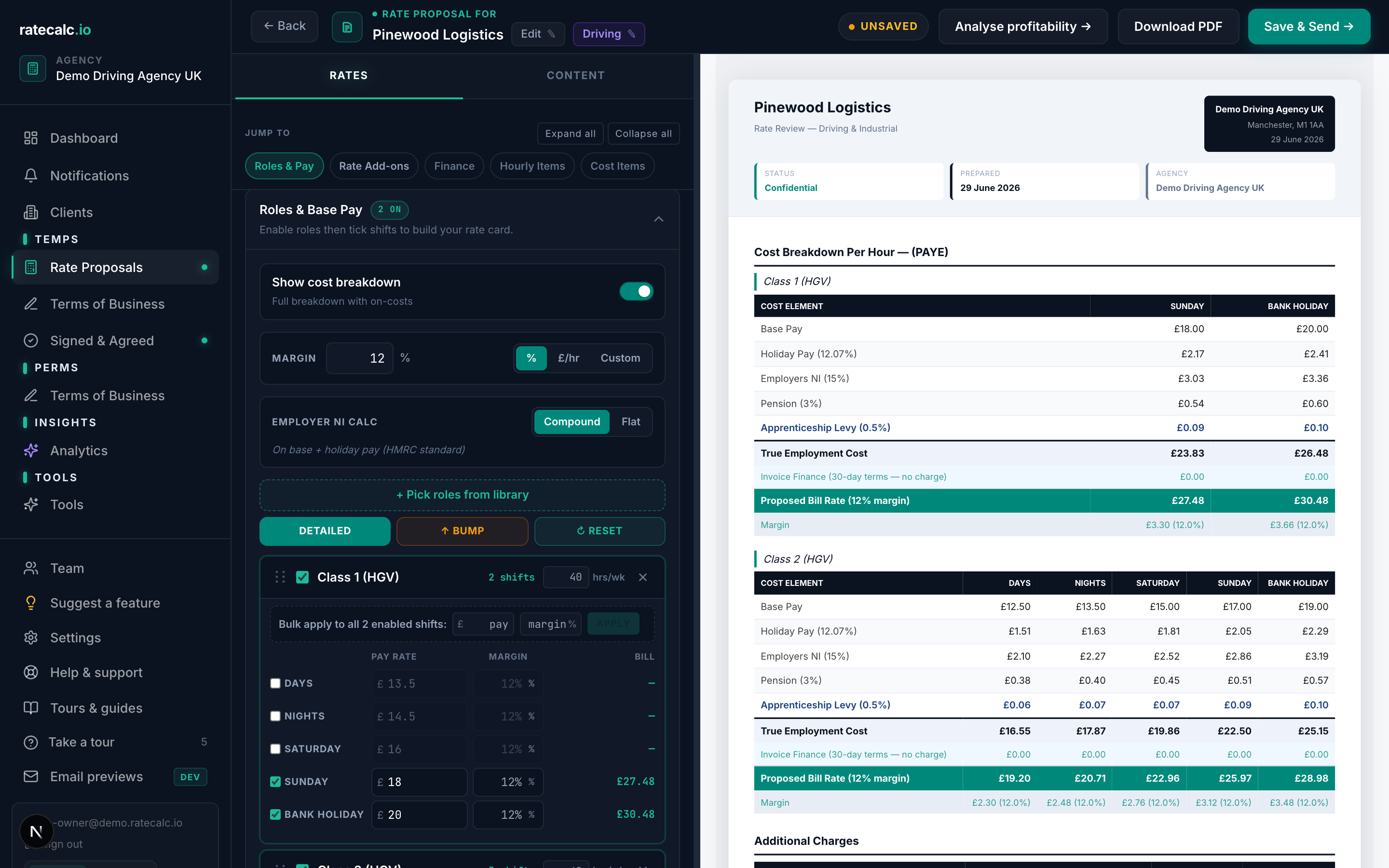
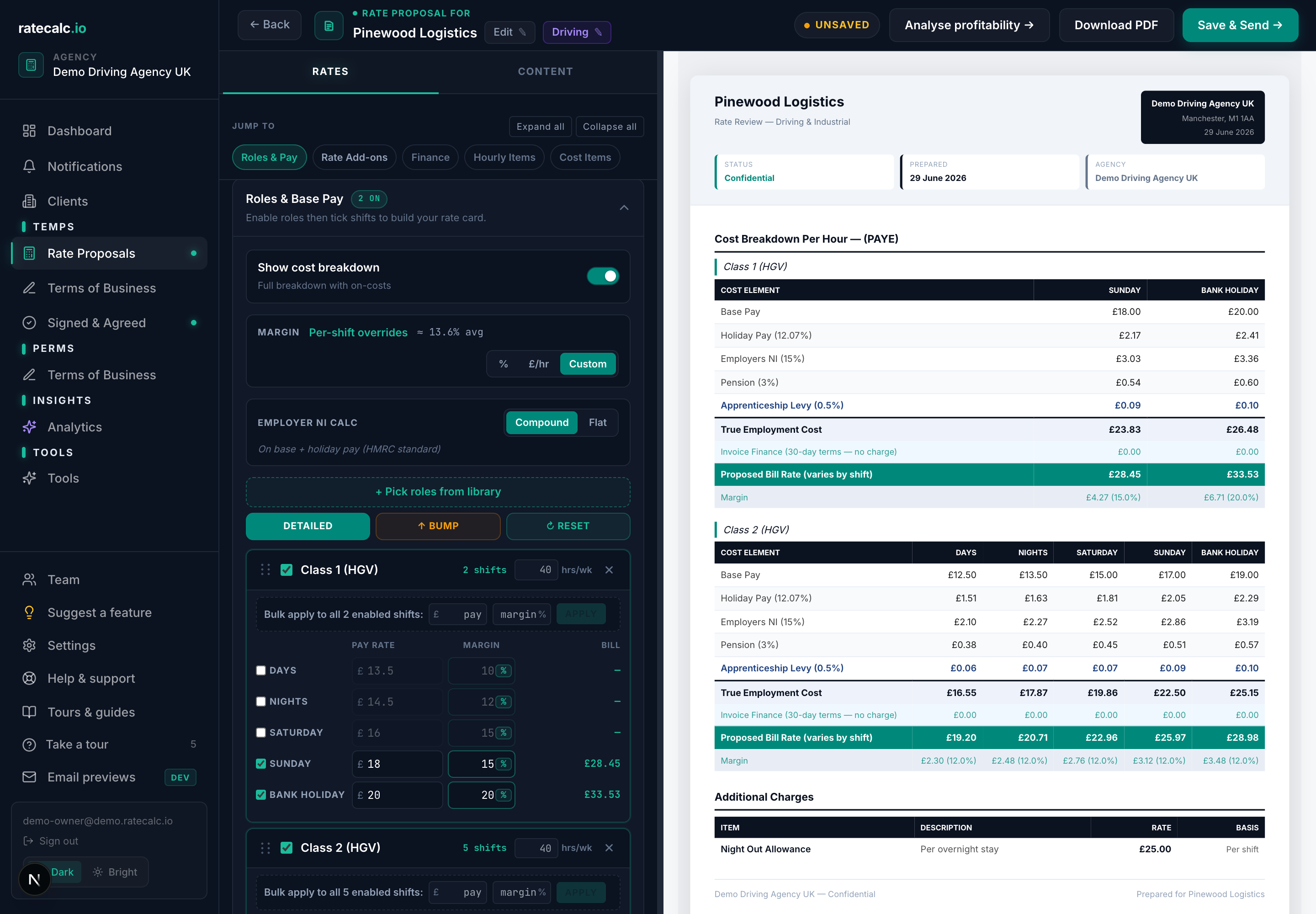
The margin strip sits at the top of the Roles & Base Pay section in the proposal builder. Three modes — pick the one that matches how this client agreed to be priced.
Percent (the default)
You set a single margin percentage for the whole quote. Bill rate per shift = true cost / (1 - margin%). The simplest mode and what every quote starts in.
Fixed
You set a single £/hr margin for the whole quote. Bill rate per shift = true cost + £fixed. Used when a client has agreed a flat hourly fee rather than a percentage.
Custom (Agency plan and above)
You set a different margin per cell — different per role, different per shift. A common setup is lower margin on the bread-and-butter Day shift, premium margin on Bank Holiday cover. Click the per-shift margin column in the role detail rate card to set overrides.
Related articles
On-cost calculation for UK recruitment agencies (holiday, NI, pension, levy)
Holiday, NI, pension, levy, finance — what each one is, where you change the default, and how the live cost breakdown shows the maths.
Rate review tool — turn an accepted proposal into a re-quote
Clone an accepted proposal, apply an uplift, send the review.
Sending your first rate proposal
Five steps from a blank agency to a sent proposal. Roughly 15 minutes with screenshots.
Last updated: 2026-06-29. Did this not answer your question? Click the chat bubble bottom-right or email hello@ratecalc.io.