Proposals
Rate review tool — turn an accepted proposal into a re-quote
Clone an accepted proposal, apply an uplift, send the review.
Most agencies run an annual or quarterly rate review with key clients. Instead of rebuilding the proposal from scratch, the rate review tool clones an accepted proposal and applies an uplift in one of five ways.
Step 1 · Find the proposals due for review
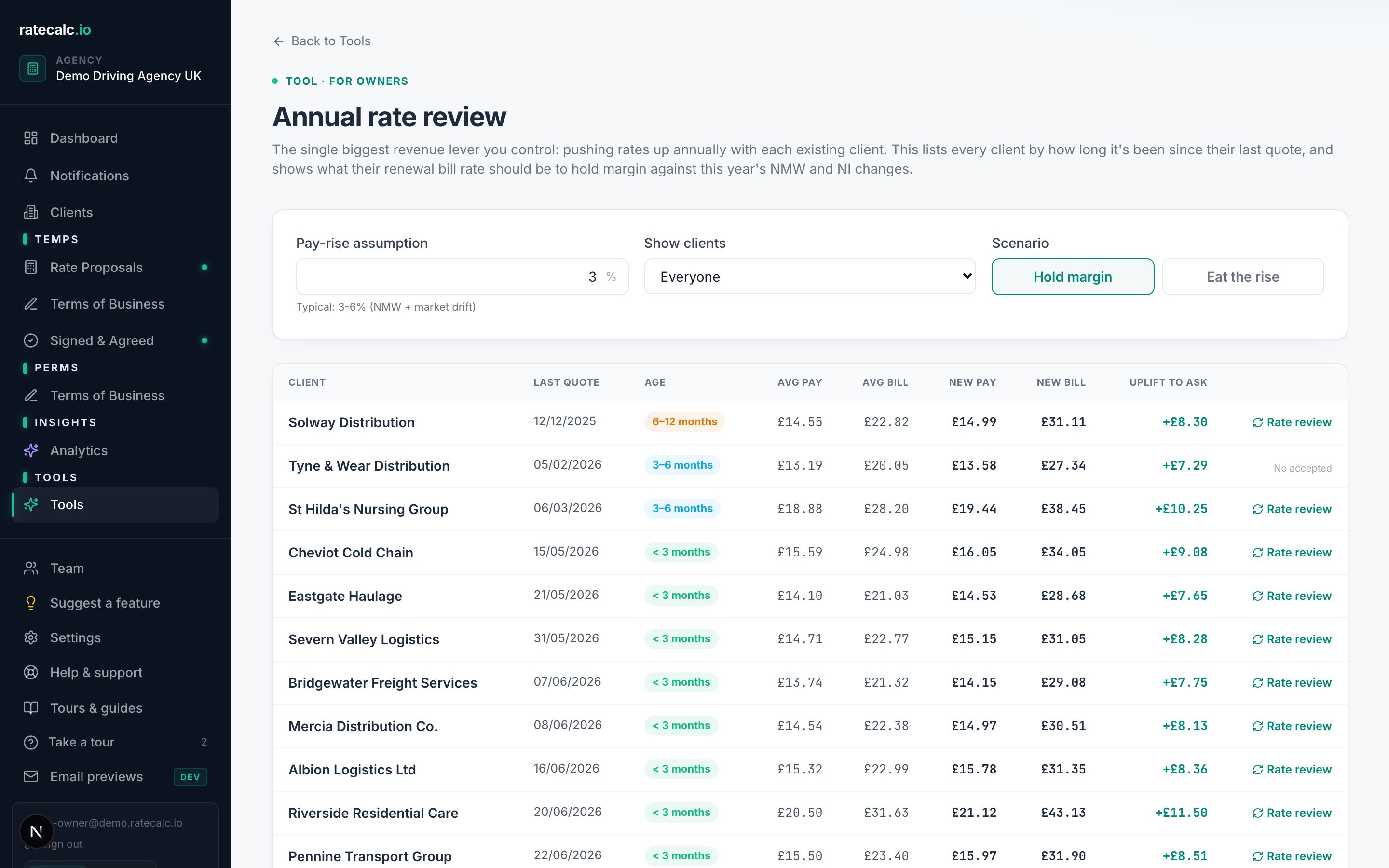
Dashboard → Tools → "Annual rate review". You'll see every accepted proposal on one page, with average pay, average bill rate, and the new pay / new bill at your default uplift already calculated. Sort by client, days-since-accepted, or current bill rate to find what needs attention.
Step 2 · Pick a transform mode
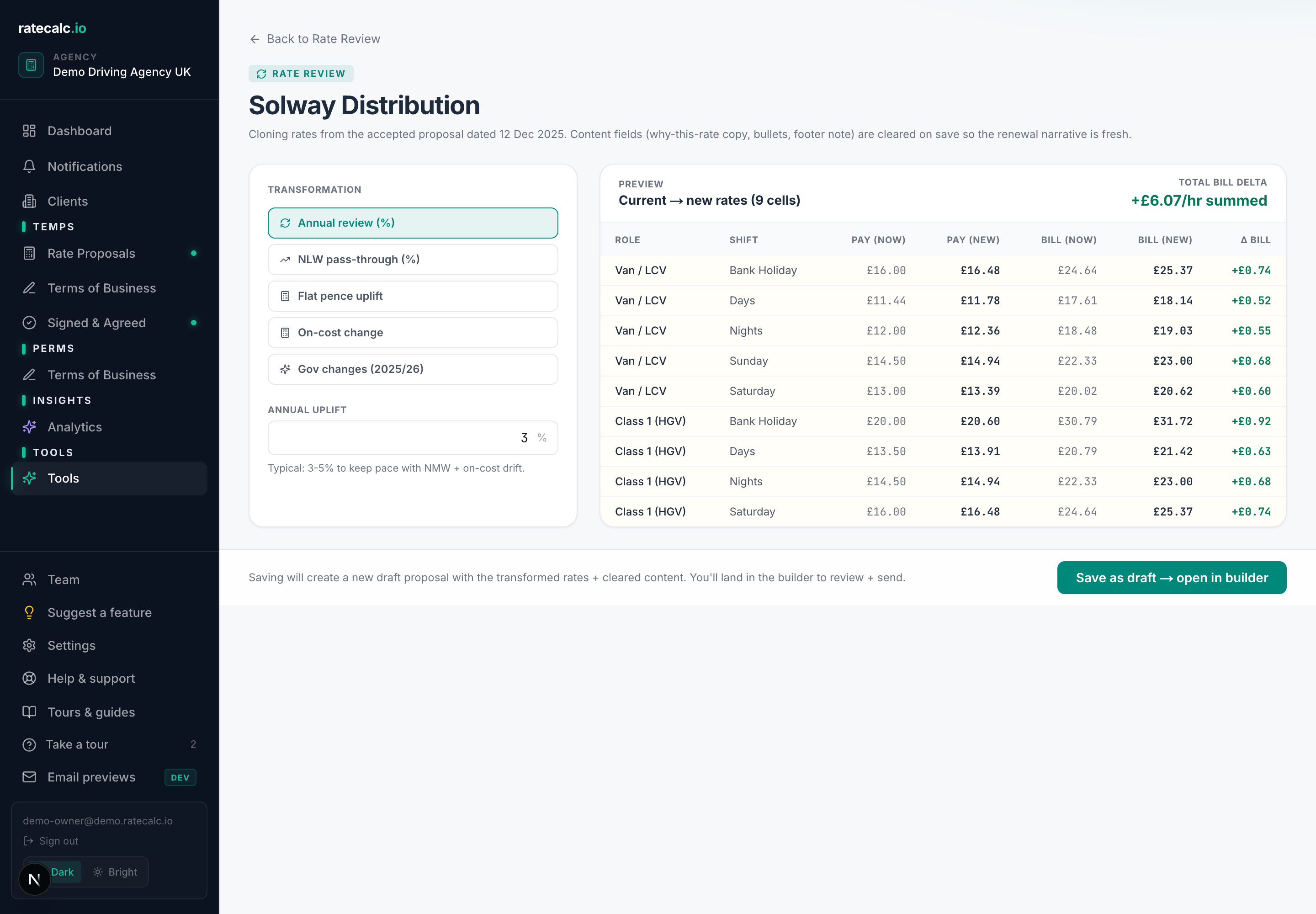
Click "Rate review" on any row to open the calculator with that proposal's rates cloned in. Five modes — pick the one that matches what triggered the review:
| Annual % | Apply a flat percent uplift (e.g. +4%) to every pay rate |
| NLW | Bump rates that are currently below the new National Living Wage |
| Pence | Add a flat pence amount (e.g. +50p) to every pay rate |
| On-cost | Apply a new employer's NI / pension / levy percentage — useful when HMRC moves a threshold |
| Gov 2025/26 preset | Apply a bundled NLW + employer's NI + pension + levy change matching the announced fiscal-year package |
Step 3 · Preview the new rates
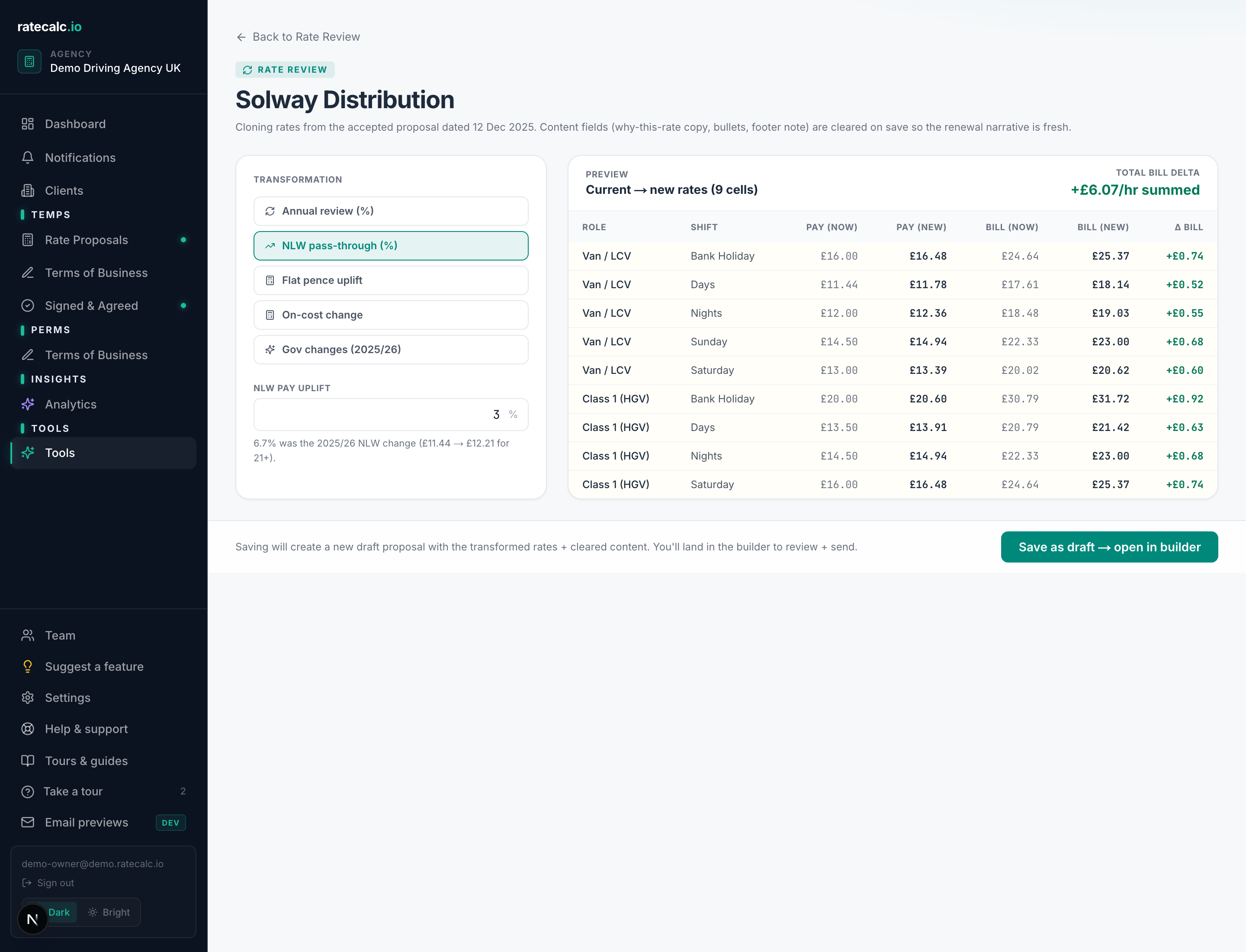
Every shift's old vs new rate sits side by side, with the pay uplift and bill uplift in £ and %. Sanity-check the numbers before you save — if anything looks off, change the input and the preview re-renders.
After save
Saving creates a fresh draft proposal in the builder — the rates carry over, the content blocks reset. Add a quick paragraph explaining why the review is being shared (typically "annual review" or "April 2026 NLW change") then send. The client receives the same branded tracked link they're used to.
Related articles
Recruitment agency margin calculator: percent, fixed and custom modes
Three ways to apply margin to a proposal and when each makes sense.
The clients page — your CRM-lite
Per-client funnel, sites with rate overrides, contacts, tags, pipeline value, notes timeline.
Tracking who opened, viewed, accepted or declined a proposal
Every proposal has its own link with full activity tracking.
Last updated: 2026-06-29. Did this not answer your question? Click the chat bubble bottom-right or email hello@ratecalc.io.