The calculator
On-cost calculation for UK recruitment agencies (holiday, NI, pension, levy)
Holiday, NI, pension, levy, finance — what each one is, where you change the default, and how the live cost breakdown shows the maths.
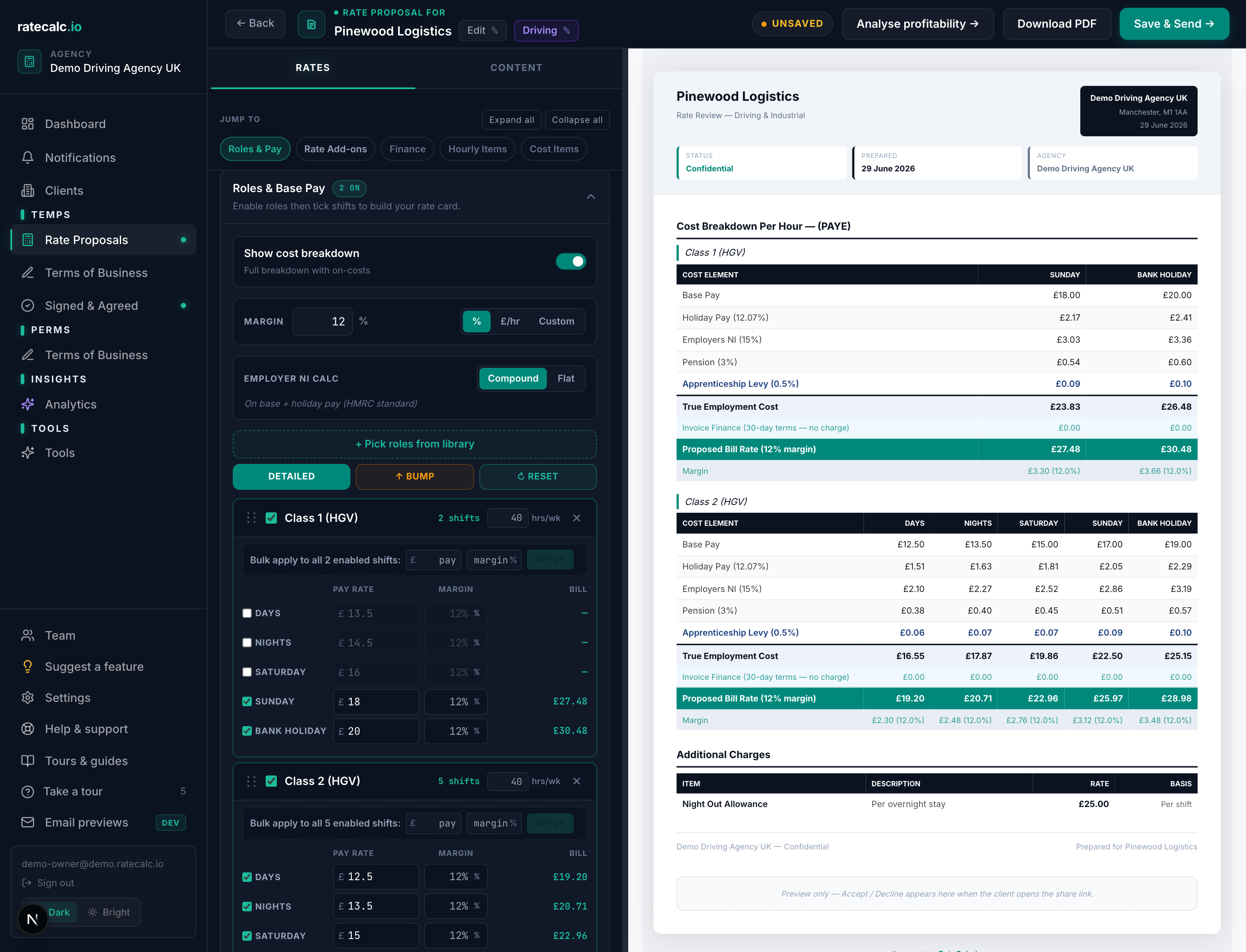
For each enabled shift we take the worker's base pay rate and add the layers below to get the true cost per hour. The bill rate is then the true cost divided by (1 - margin) — or pay + cover + margin in fixed mode. The proposal preview shows every layer of the calculation in plain numbers, per shift.
Default on-cost stack
| Holiday pay | 12.07% — the statutory accrual rate for casual workers |
| Employer's NI | 15% — current HMRC rate above the secondary threshold |
| Pension | 3% — minimum employer auto-enrolment contribution |
| Apprenticeship levy | 0.50% — only applies above £3m pay bill but we include it by default for accuracy |
NI calculation modes
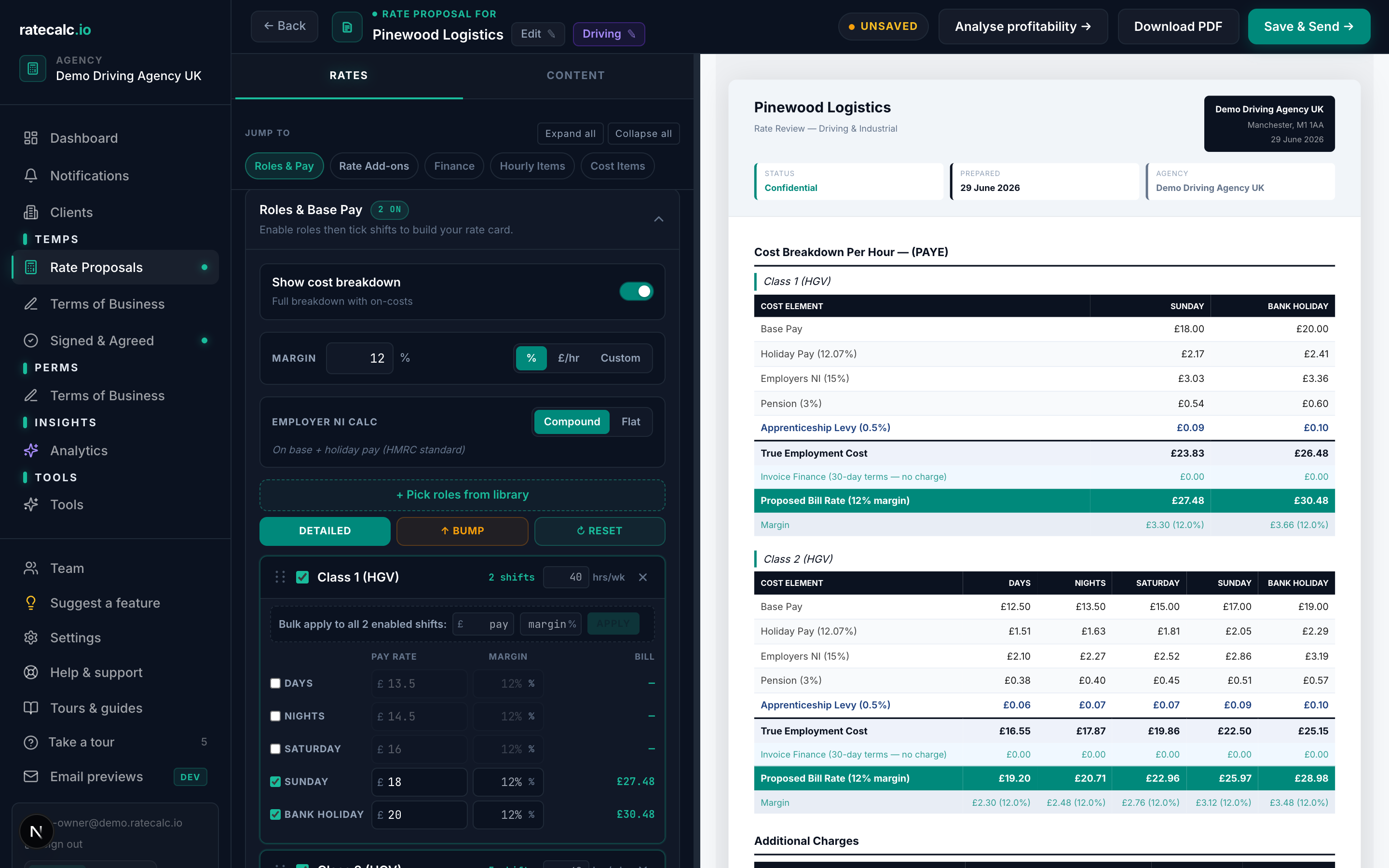
"Compound" is HMRC standard: NI is calculated on base pay PLUS holiday pay (because holiday pay is itself earnings). "Flat" is NI on base pay only — sometimes used by clients who accrue holiday separately. You can switch per quote from the NI calc strip in the proposal builder.
Where to change the defaults
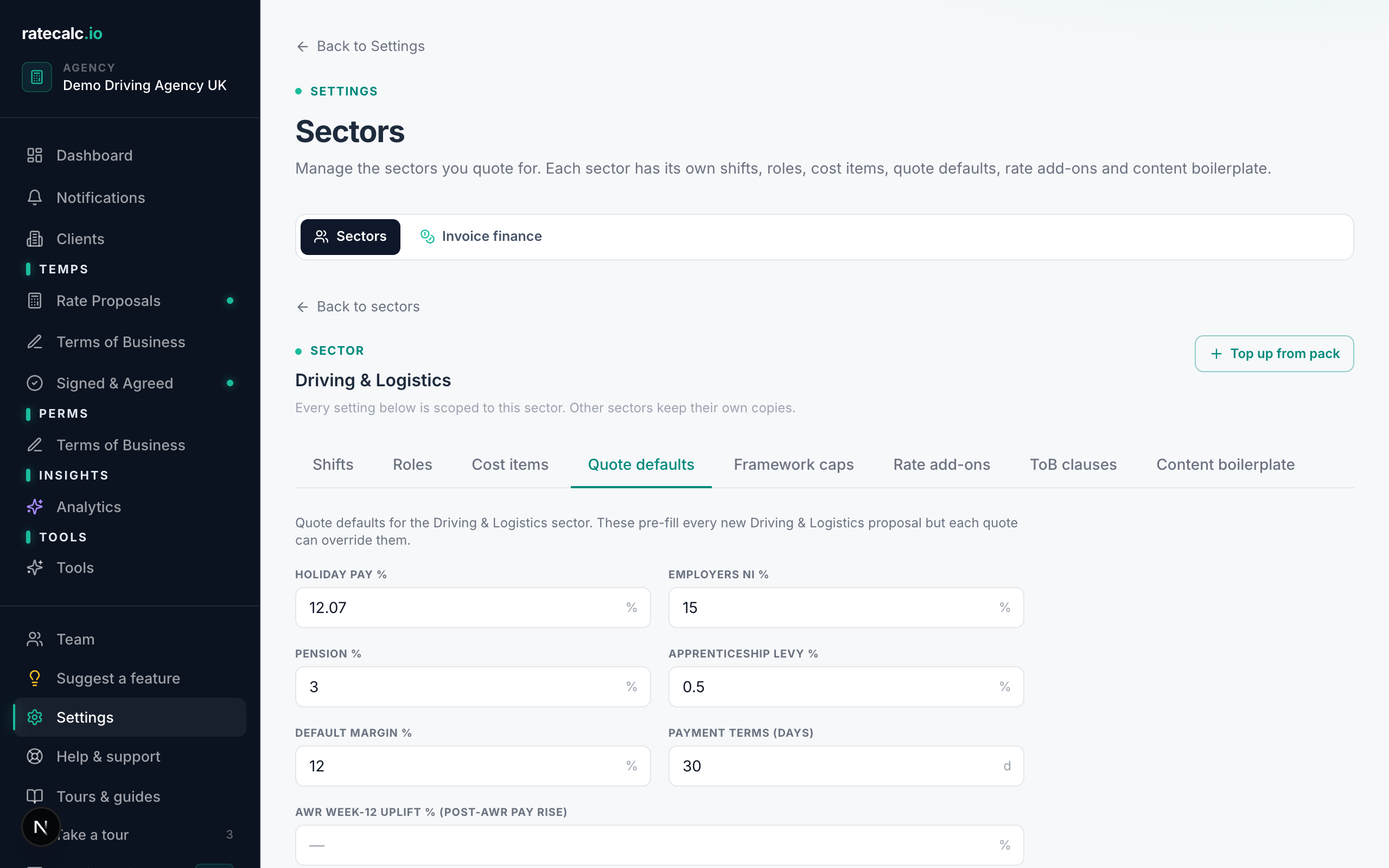
Settings → Sectors → pick a sector → "Quote defaults". Each sector keeps its own copy of these percentages, so a healthcare bucket can carry NHS-specific defaults without polluting a driving bucket.
Per-quote overrides
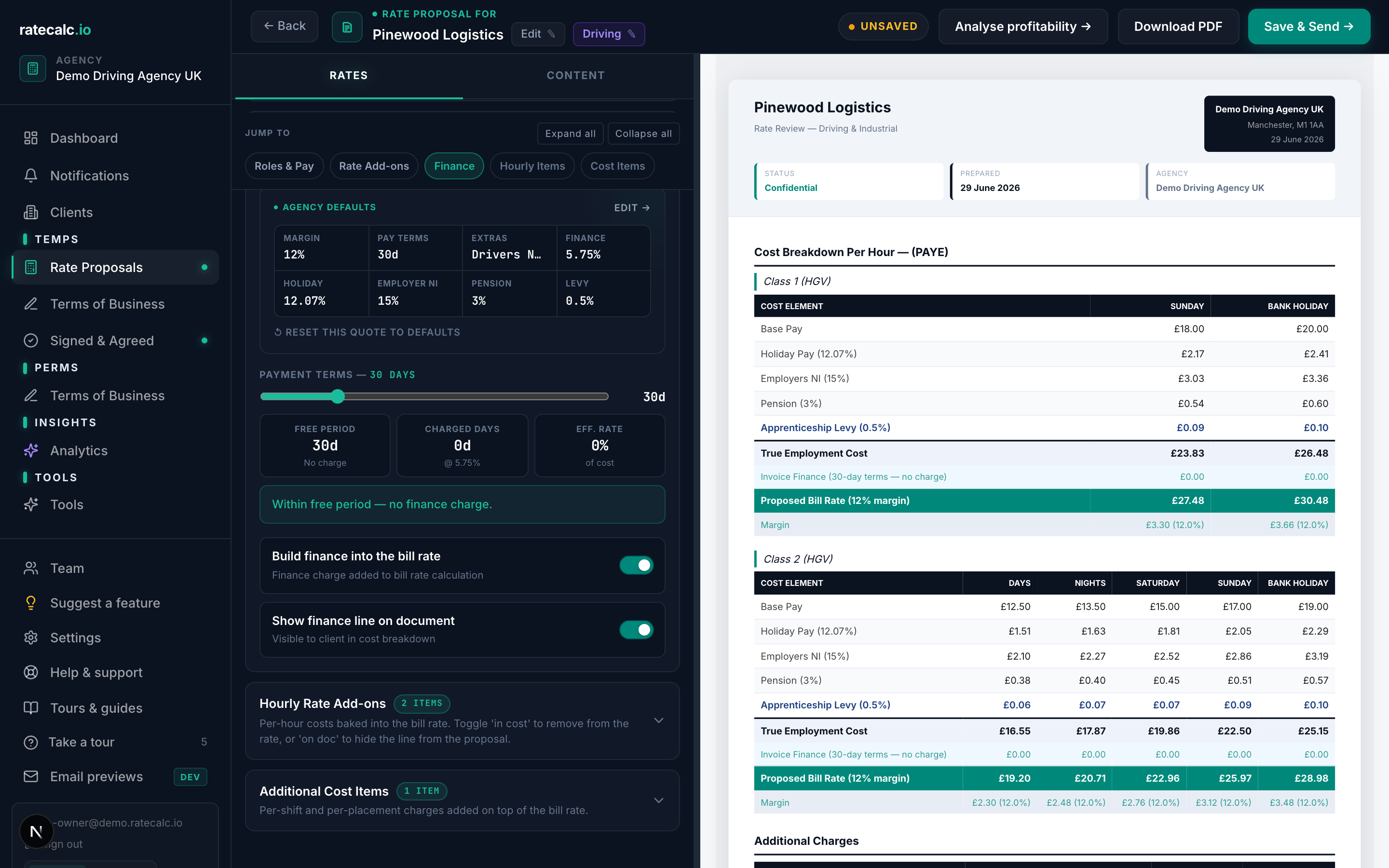
In the proposal builder, open the Finance Settings section. You can override holiday / NI / pension / levy and the finance percentage for that single quote without touching the sector defaults.
Related articles
Recruitment agency margin calculator: percent, fixed and custom modes
Three ways to apply margin to a proposal and when each makes sense.
NHSP framework rate caps + Crown Commercial caps for healthcare agencies
How to set up rate caps per framework so the builder warns before a capped quote goes out.
Sending your first rate proposal
Five steps from a blank agency to a sent proposal. Roughly 15 minutes with screenshots.
Last updated: 2026-06-29. Did this not answer your question? Click the chat bubble bottom-right or email hello@ratecalc.io.