Getting started
How sector buckets work
Each sector you operate in lives as a self-contained bucket with its own shifts, roles, on-costs and Terms of Business.
A "sector bucket" is a self-contained set of settings for one sector you operate in. Open Settings -> Sectors to see every bucket you have configured, side by side.
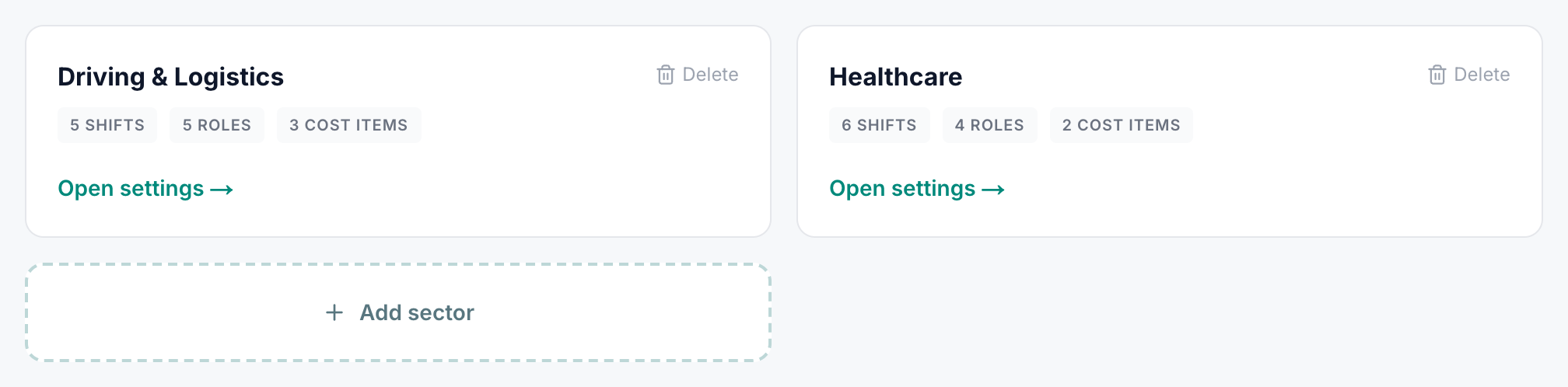
What each bucket carries
Open a bucket and you'll see eight sub-tabs, each scoped to that one sector:
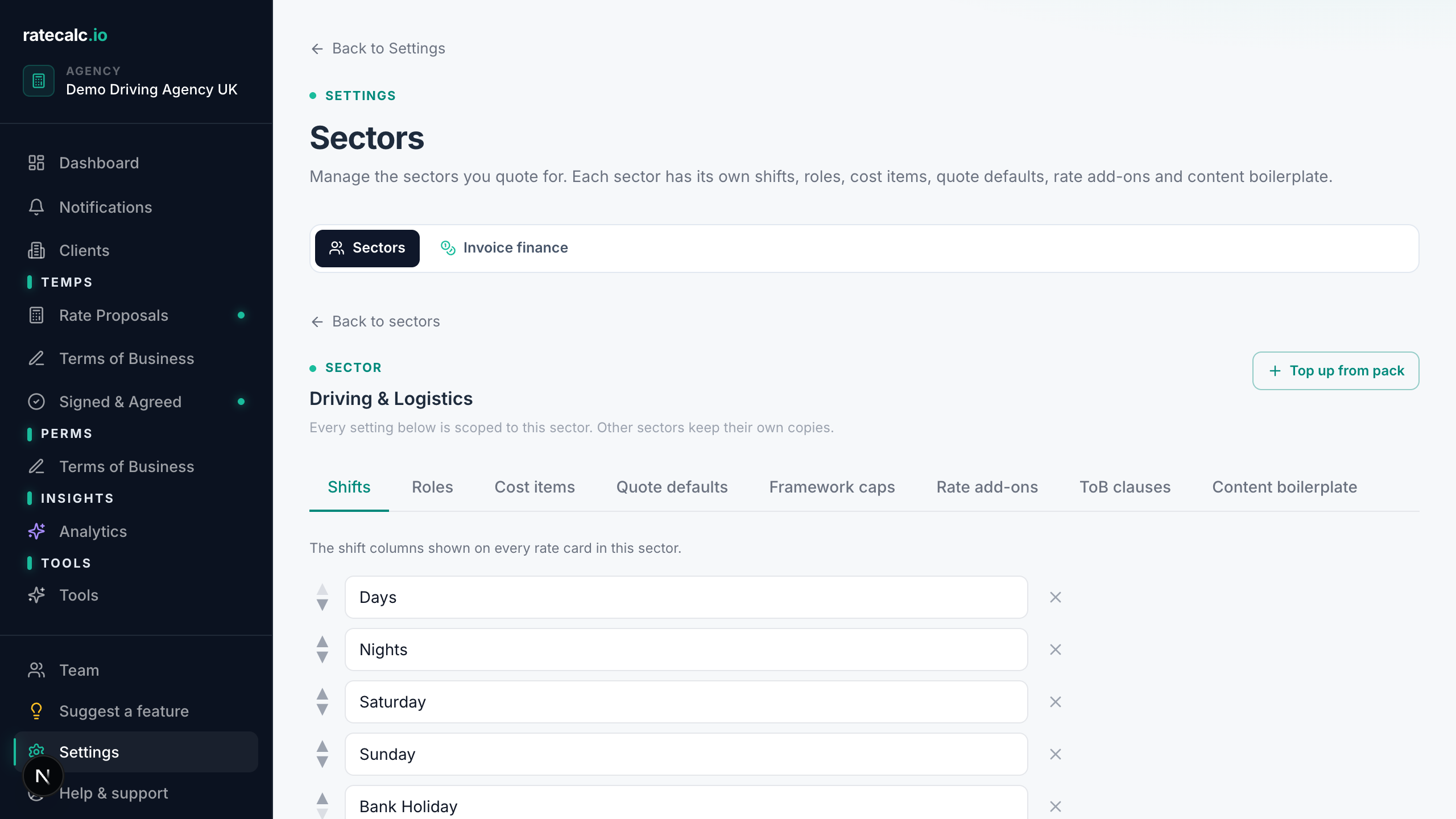
- Shift types — e.g. driving has Saturday Day and Saturday Night, hospitality has Lunch Service and Dinner Service
- Roles and pay rates
- Cost items (drivers negligence, DBS, PPE etc)
- Quote defaults (holiday %, NI %, pension %, levy %, payment terms, margin)
- Framework rate caps (NHSP, Crown Commercial, regional buying groups)
- Built-in rate add-ons (DNI, public liability, indemnity)
- Terms of Business clauses
- Content boilerplate (intro paragraph, "what's included", "why this rate" defaults)
Why buckets, and not one shared set?
In the old model, healthcare shift edits could drift into a driving quote because everything sat in one shared catalog. Buckets stop that. If you operate driving and healthcare, you get two separate buckets, each with their own defaults, and a builder dropdown to pick which bucket a new quote pulls from.
Adding a new bucket
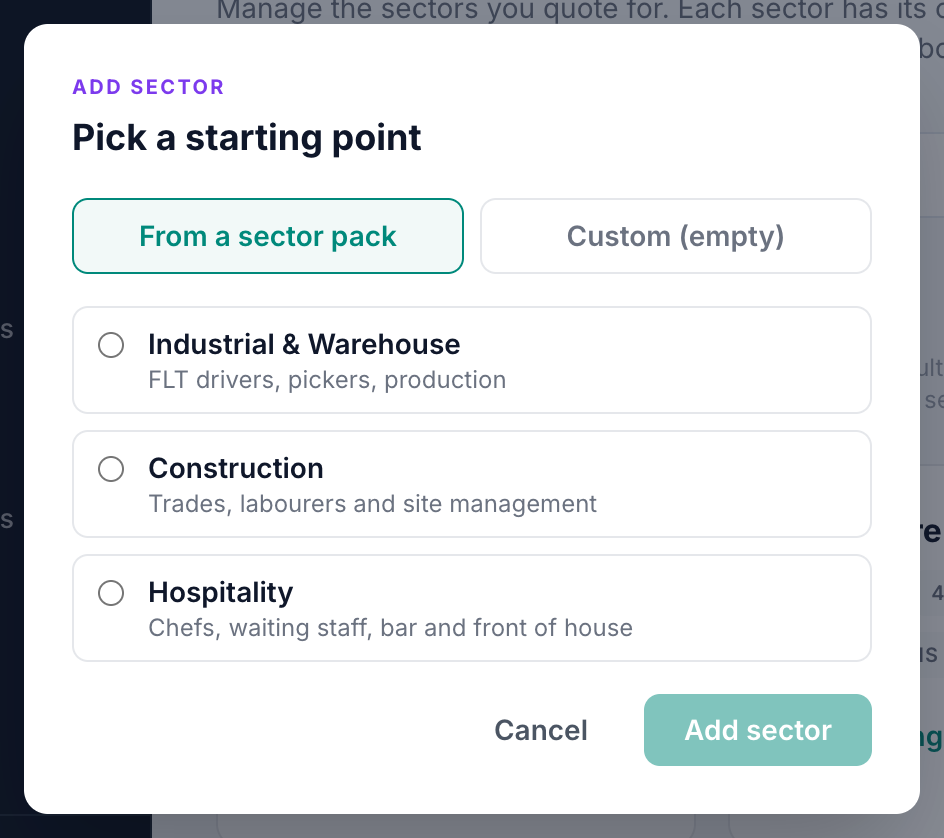
Settings -> Sectors -> "Add sector". Pick one of the built-in packs (one-click setup) or create a custom blank bucket and configure it yourself.
Topping up an existing bucket from a pack
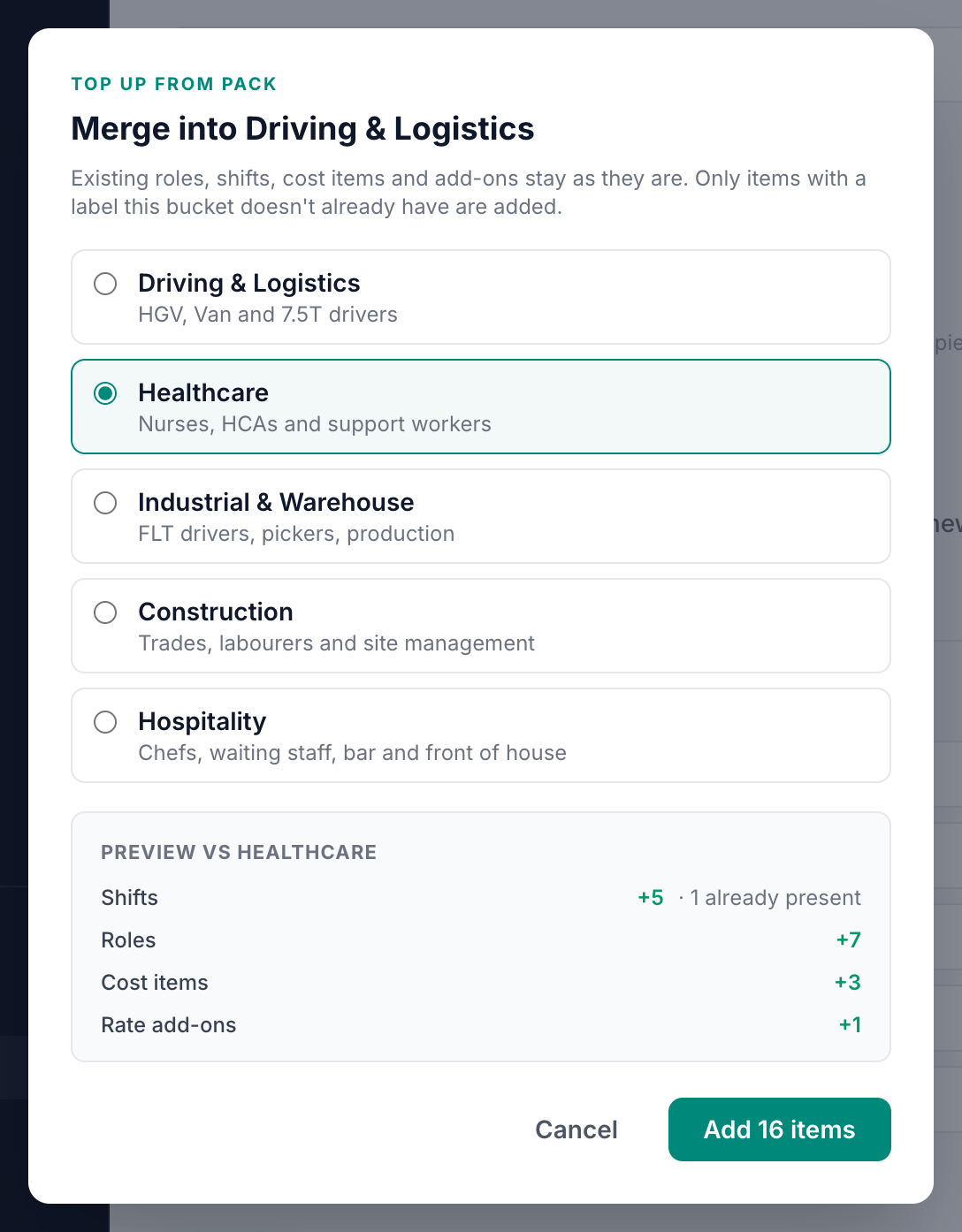
If you started a bucket blank and later want to merge in a pack's roles, or we update a pack with new content you want to pull in, open the bucket and click "Top up from pack". You'll see a diff of what would be added vs what's already present, then a one-click apply. Existing items are never overwritten — dedup is by trimmed lowercase label.
Related articles
Sending your first rate proposal
Five steps from a blank agency to a sent proposal. Roughly 15 minutes with screenshots.
On-cost calculation for UK recruitment agencies (holiday, NI, pension, levy)
Holiday, NI, pension, levy, finance — what each one is, where you change the default, and how the live cost breakdown shows the maths.
NHSP framework rate caps + Crown Commercial caps for healthcare agencies
How to set up rate caps per framework so the builder warns before a capped quote goes out.
Last updated: 2026-06-29. Did this not answer your question? Click the chat bubble bottom-right or email hello@ratecalc.io.